
YouTube to text
Paste a public youtube.com, Shorts, or youtu.be link to start the same workspace used for uploaded media.
- Supported public YouTube URLs
- Same transcript and notes workflow as file uploads
- Chapters and timestamps for review
Paste a YouTube link or upload audio and video. Insightify creates timestamped transcripts, structured AI notes from 65 templates, and project-aware Q&A you can return to anytime.
65 note templates · Timestamped transcripts · Ask AI about your project
Maximum 50 MB per file. Closing this window preserves upload recovery.
Paste a public youtube.com, Shorts, or youtu.be link to start the same workspace used for uploaded media.
Upload MP3, M4A, WAV, OGG, MP4, MOV, or WebM up to 50 MB. Long recordings continue processing in the background.
A template for the shape of the task
Template goal: Focus on context, a structured summary, key insights, decisions, and action items.
Capture the relevant topic, people, timing, and source evidence.
Separate confirmed facts from assumptions and open questions.
Keep conclusions traceable to the transcript and mark details that still need confirmation.
Owner: To be confirmed; use the recording as the source of truth for timing and acceptance criteria.
Built for real recording workflows

Meeting notes AI
Ask AI
Streaming answers use the current transcript, selected AI note, and your project notes.

How it works

Upload audio or video, or paste a supported YouTube link to create a project.
The worker produces a timestamped transcript linked to playback.
Preview a template first, then create an editable note when it fits the task.
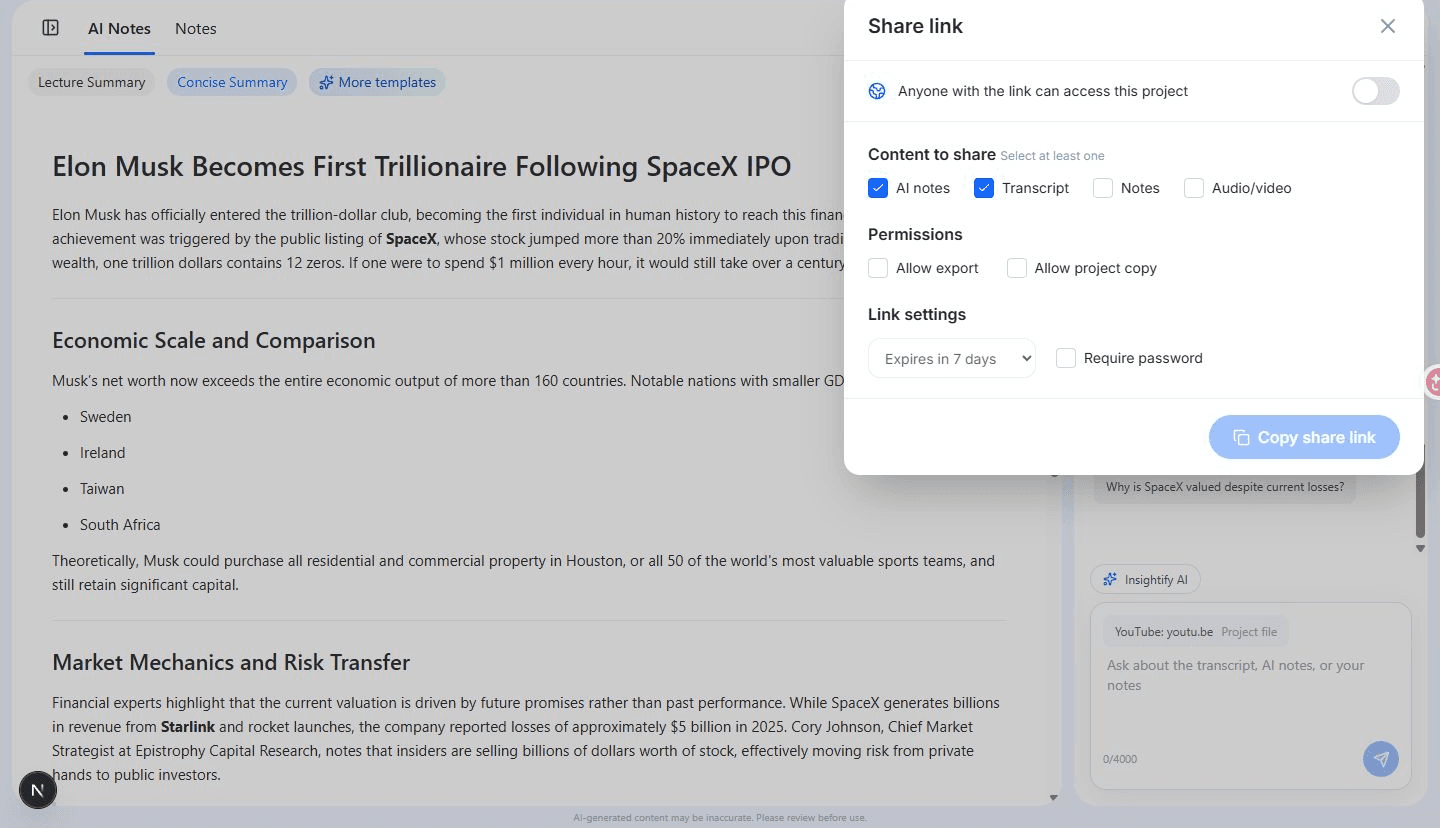
Ask project questions, save answers to notes, and export or share authorized content.
Export and share

DOCX, PDF, Markdown, SRT, TXT, and ZIP exports are available from the project workspace.
Common questions
Yes. Upload common audio and video formats to generate a timestamped transcript that stays linked to the original media.
Paste a supported YouTube link to run the same project flow: timestamped transcript, structured notes, and project-aware Q&A.
Yes. After transcription, choose a meeting-oriented template to create editable notes with decisions and follow-ups grounded in the transcript.
Yes. Use lecture, podcast, meeting, and interview templates from the same workspace—no separate tool pages required.
No. Previewing a template is read-only. Generation starts only when you confirm Use template.
Yes. Share with controlled scope, expiry, and permissions, or export supported content as DOCX, PDF, Markdown, SRT, TXT, or ZIP.
Upload MP3, M4A, WAV, OGG, MP4, MOV, or WebM files up to 50 MB. Long recordings continue processing in the background worker.
Public youtube.com watch URLs, Shorts, and youtu.be links are supported. Paste the link in the hero tool entry or dashboard to start a project.
Yes. Creating a project requires sign-in with Google or email verification. YouTube links can be saved while you sign in; after signing in, select your local file again.
Ask AI answers from the current transcript, selected AI note, and project notes. Replies can be copied or appended to notes, and conversations are saved in the project.
Start with one recording